How to chain multiple AI tools together for better results
One AI tool can do a lot. But asking one tool to handle everything is like asking a blender to make you a three-course meal.
Sure, it’ll puree something, but you’re not getting crème brûlée out of it.
Different tools shine in different areas. Some are great at research, some at drafting, others at making visuals that don’t look like Salvador Dalí got into stock photography.
The real magic happens when you chain them together into one glorious, slightly chaotic assembly line.
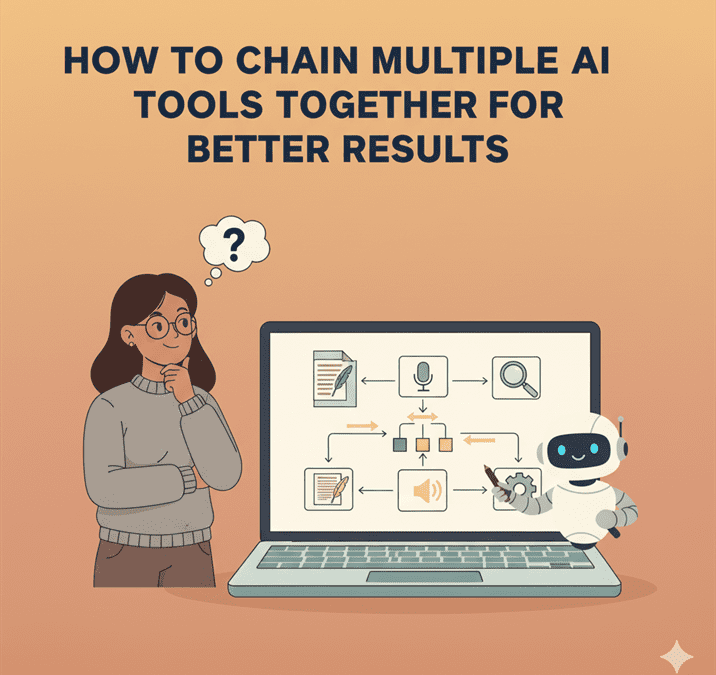
Mapping the task flow (research → draft → visuals → optimisation)
Think of your content workflow as a relay race, not a solo sprint. One tool grabs the baton, runs its bit, then passes it on.
For example:
- Research: Gather sources, summarise reports, check what’s trending.
- Draft: Take the research and spin it into an actual blog post or script.
- Visuals: Turn that same idea into graphics, carousels or short video snippets.
- Optimisation: Check readability, SEO and polish before hitting publish.
When you map it out step by step, you stop treating AI like a monolithic magic box and start treating it like the very enthusiastic production line it is.
Choosing the right tools for each stage
Not all AI tools are created equal. Some are generalists (hello, ChatGPT), others are hyper-focused specialists.
Here are some of the tools I use:
- Research: Perplexity can explore, dig and summarise.
- Drafting: ChatGPT can churn out words with alarming speed.
- Visuals: MidJourney, DALL·E, Nano Banana to spin up graphics that mostly have the right number of fingers.
These work for me but your mileage may vary.
Pick the right tool for the right job. Otherwise, you’ll end up trying to use Photoshop to write your blog post, which is… not ideal.
I’m still experimenting with images as you’ll no doubt already know. I use ChatGPT for some and then it gets stuck creating the same thing over and over again even in new chats with unique prompts.
That’s when I switch to Nano Banana, slightly more reliable but still not quite there yet.
Connecting tools via APIs or no-code platforms
Now for the duct tape and glue. The easiest way to connect AI tools is through no-code platforms like OttoKit, Make, or n8n.
Example:
- ChatGPT drafts a blog outline.
- OttoKit sends it into Google Docs.
- Nano Banana generates visuals.
- An SEO tool scans the draft automatically and flags changes.
- Your CMS (say, WordPress) gets the final version for scheduling.
APIs let you stitch together custom pipelines if you’re technical.
No-code platforms let you do the same thing without needing to know what JSON stands for (hint: JavaScript Object Notation, but you’ll never need it at the pub quiz).
Avoiding “too much automation” pitfalls
Ah, but here’s the trap. Just because you can automate everything doesn’t mean you should.
Full automation can lead to:
- Robotic-sounding copy with zero personality.
- Visuals that look “AI-ish” in the bad way.
- Publishing errors because no human double-checked.
The golden rule, humans edit, approve, and add the sparkle. AI does the legwork, not the decision-making.
Monitoring and tweaking chained workflows
Workflows aren’t fire-and-forget. They’re more like bonsai trees, you set them up, then prune and tweak constantly.
- Check analytics: Is AI-generated content performing as well as human content?
- Review errors: Where does the chain break? (Usually between “AI finished” and “you forgot to check it.”)
- Update prompts: What worked once may not work next month. Keep refining.
A chain is only as strong as its weakest prompt.
Conclusion: Orchestration over single-tool dependency
The real power isn’t in a single AI tool, it’s in orchestrating them like a slightly nerdy conductor leading an orchestra of robots.
Each tool plays its part, you add the human oversight, and the result is better than what either could produce alone.
Stop expecting one AI tool to do it all. Start chaining them together and enjoy the symphony, minus the violinist with six fingers.