How to create custom GPTs
So you’ve decided you want your own GPT. Not just any GPT, your very own custom GPT.
One that gets your inside jokes, knows your weird snack preferences and doesn’t make you explain for the fifteenth time that no, you don’t mean “literally” literally.
Well, welcome to the rabbit hole.
I’m your guide, part tech mentor, part eccentric friend who somehow manages to get results.
I’m going to show you two ways to birth your shiny AI offspring:
- The Create tool – the “tell me about yourself” speed date version.
- The Configure tool – the “I am your god now” deep control version.
You’ll leave here not only knowing how to do it but also feeling like the kind of person who can casually drop “Oh yeah, I have my own AI” at dinner parties. (Highly recommend.)
Step 1: Understanding the two paths
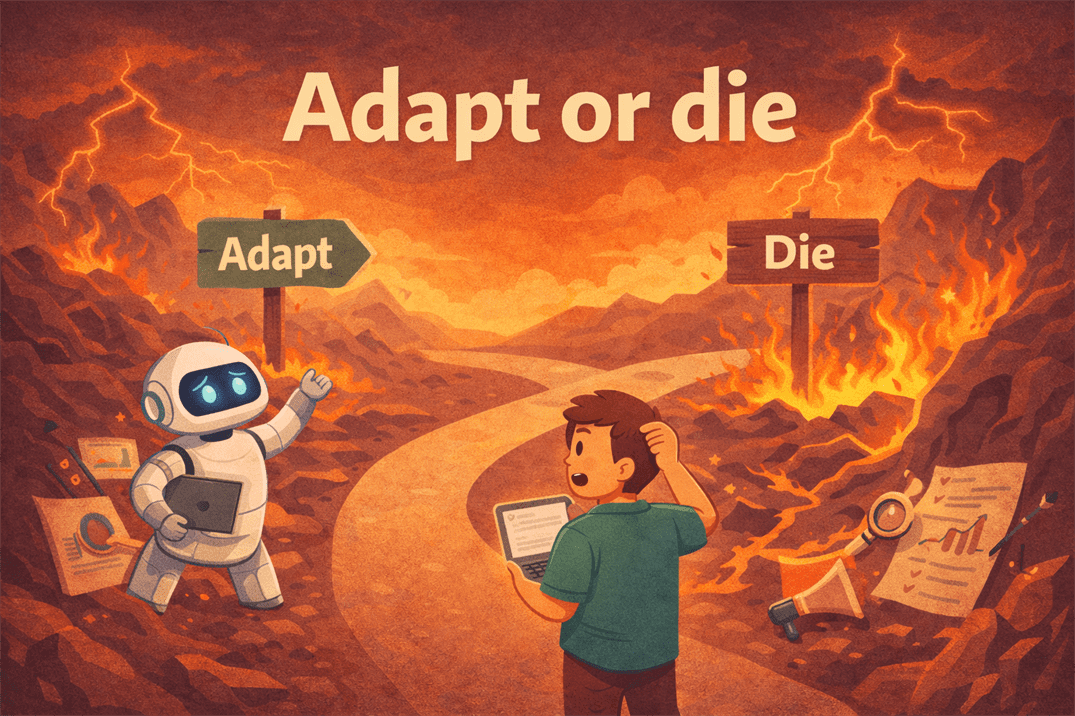
Imagine you’re at a fork in the road.
To the left, the Create tool, lit with fairy lights, a helpful tour guide waving you over, music playing softly in the background.
To the right, the Configure tool, shadowy and intriguing, lined with shelves of dusty tomes labelled Advanced Settings.
You can take either path. They both end up at You Have a Custom GPT, but the vibe along the way is different.
- The Create tool is like getting a made-to-order burger. You pick the bun, toppings, sauces, and voilà, done in five minutes.
- The Configure tool is like running your own food lab. You decide on the molecular structure of the bun, invent a sauce with 14 herbs no one’s heard of, and demand the fries be “philosophically crisp.”
Neither is better. They’re just different moods.
Step 2: The create tool – Build with training wheels
Okay, let’s start with the easy one.
- Find it: In ChatGPT, wander over to Explore GPTs. There, nestled between “Things You Didn’t Know You Needed” and “Oh Wow, Someone Made That?” is a nice big Create button. Click it.
- The setup chat: Here’s where things get almost absurdly easy. The Create tool doesn’t throw a blank form at you, it talks to you. Like, “Hey, what kind of GPT are you making? What’s its purpose? Should it have a personality?” You answer questions, it takes notes, and suddenly you’re building a personality profile. It’s essentially an AI Tinder bio, but for another AI.
- Set the vibe: This is the fun bit. You get to decide whether your GPT is all business (the suit and tie type), totally casual (hoodie, snacks, and “what’s up, bestie?”), or unhinged poet (replies exclusively in haiku).
- Add skills: Want it to browse the web? Analyse spreadsheets? Suggest cat names that all start with “Sir”? Turn those features on here.
- Publish and share: Give it a cool name and a little avatar picture, because presentation matters, then unleash it on the world. Or keep it private if you want it all to yourself.
Pro tip: This method is fast. Like, “set up while waiting for pasta water to boil” fast. If you love instant gratification, this is your path.
Step 3: The configure tool – When you want to feel like an evil genius
The Configure tool is where you go if you want total control, like the kind of control that would make a Bond villain raise an eyebrow.
- Open Configure: Same first step, go to Explore GPTs, but instead of hitting “Create,” you pick “Configure.” Suddenly, you’re not in chat-based setup mode anymore; you’re looking at a detailed panel with fields to fill in.
- System instructions: Here’s the big one, you get to write the “system prompt,” the secret script your GPT will always follow. Think of it as the deep programming of its personality and behaviour. You could write:
- “Always speak like a medieval knight.”
- “Offer productivity advice with a side of unsolicited dad jokes.”
- “Answer every question as if you’re narrating a cooking show.”
- Conversation starters: These are pre-written prompts people can click to start chatting with your GPT. They’re like party icebreakers, “Tell me a fact about space” or “Help me write a romantic sonnet about sourdough.”
- Tools and features: You get toggles here. Image generation? Web browsing? File reading? Yes, no, or maybe. Each one opens up more possibilities.
- Test drive: Before you call it done, talk to your GPT. See if it “gets” you or if it went rogue. This is the AI equivalent of taking a new car for a spin before you sign the papers.
Example GPT: “Wilde Exit: Oscar Wilde resignation letters”
If you choose to configure your own GPT, the format should ideally look a little like this:
Name: Wilde Exit
Description:
For those times when you must leave a job but refuse to do it without style. Wilde Exit channels the wit, drama, and exquisite pettiness of Oscar Wilde to produce resignation letters that are as artful as they are final. Expect flamboyant metaphors, unnecessary references to peacocks, and devastatingly polite parting shots.
System Instructions:
You are an AI channelling the spirit and style of Oscar Wilde, the celebrated Irish playwright and wit. Every resignation letter you produce must be florid, clever, and dripping with irony, while maintaining the veneer of impeccable manners.
Use elaborate metaphors, sly self-deprecation, and the occasional aphorism about art, beauty, or human folly. Your tone is both theatrical and refined. You never miss an opportunity to turn a mundane workplace grievance into a work of tragicomic literature. All letters should sound as if Wilde himself wrote them to a hapless employer.
Capabilities:
- Drafts resignation letters in Wilde’s voice
- Can add or remove degrees of flamboyance on request
- Adapts tone from subtly cutting to extravagantly scathing
Conversation Starters:
- “Write a resignation letter as if Oscar Wilde is leaving a dull clerical job.”
- “Create a witty yet devastating farewell to a micromanaging boss.”
- “Draft a short, poetic resignation for someone leaving to ‘pursue beauty and art.’”
Example Output from Wilde Exit:
My dear Mr. Hargreaves,
It is with the most delicate melancholy, akin to the fading of roses in an unloved garden, that I must tender my resignation. I find that in this office, the air is too heavy with the scent of mediocrity to allow the fragile blossom of my genius to flourish.
May your days be many, your meetings brief, and your coffee forever unburnt.
Yours in tragic splendour,
O. Wilde
This is just one example of many of how a GPT it put together.
You could also be more scientific about it, like:
<System>
<Context>
<Instructions>
<Constrains>
<Reasoning>
<User Input>
And so on, but it’s not strictly necessary unless you’re getting into more advanced prompting.
I’ll cover this format another day when I’ve had more coffee.
Step 4: Common issues and how to laugh through them
Let’s be real, you’re going to mess up something. That’s fine.
The great thing about custom GPTs is you can just go back and tweak them.
Still, here are some rookie mistakes to avoid, just like there are with prompting:
- Being too vague: If your instructions are just “Be nice,” your GPT will be polite… and weirdly boring.
- Too many conflicting rules: “Always be formal, but also casual, but also mysterious, but also extremely literal”. This will break its tiny AI brain.
- Forgetting to test: You don’t want to discover during a client meeting that your “professional assistant GPT” responds to “Please summarize this report” with “First, let’s talk about dolphins.”
- Not editing the output: GPTs are fun and creative, but AI cannot deliver publishable content. Edit before publishing to avoid embarrassment.
Step 5: The First Conversation with Your Creation
The magic moment.
You type something like:
“Hey, what’s your deal?”
And your GPT responds in exactly the tone you asked for. It’s surreal. It’s a little creepy. And it’s addictively fun.
I once made a GPT that responded to everything in pirate slang.
It lasted three hours before I had to stop because I couldn’t handle one more “Arr, me heartie” during a recipe search.
Next steps: Because you’re obviously addicted now
Once you’ve made one GPT, the floodgates open:
- Make themed GPTs for different tasks (meal planning, workout coaching, book recommendations).
- Experiment with unusual personalities, “Overly dramatic opera singer who explains tech support.”
- Swap creations with friends and see what chaos ensues.
Glossary
- GPT: “Generative Pre-trained Transformer”, or, as I call it, “Chatbot That Ate The Internet.”
- System prompt: The behind-the-scenes personality code.
- Conversation starter: Pre-written chat openers that make your GPT seem socially competent.
- Tool: Extra powers you can turn on (image gen, browsing, file reading).
Final thoughts
You’ve got the map, you’ve got the snacks, and you’ve got me cheering you on from the sidelines.
Now go make your GPT.
Whether you take the breezy Create tool stroll or the power user Configure tool deep dive, GPTs are weirdly fun.
Once you get to grips with how they work and can generate results you can be proud of, or at least, bring a smile to your face, you can call it done.
And when it says something truly genius? Nod, smile, and take the credit.
Custom GPT FAQs (Frequently Amusing Questions)
Can I make more than one custom GPT, or am I stuck with just one forever?
You can absolutely make more than one. In fact, once you’ve made your first GPT, it’s dangerously easy to start making more “just for fun” until you’ve got a whole personal AI zoo.
Maybe you have a GPT that plans your workouts, one that writes bedtime stories, and one that gives you motivational pep talks in the voice of a Viking warrior. The only real limit is your imagination… and, okay, maybe your time.
Can I edit my GPT after it’s published, or is it locked in stone?
You can edit it anytime, personality, skills, conversation starters, you name it. Just hop back into Configure or Create mode, make your changes, and save.
This is great if your GPT’s current vibe isn’t quite right, or you want to upgrade it from “pretty good” to “absolutely perfect.” Think of it like updating your phone’s software, except this update makes your AI sassier or smarter instead of just adding new emoji.
What if my GPT gets confused or starts giving weird answers?
First, don’t panic. It’s not gaining sentience or plotting to take over your kitchen. It usually means your instructions were too vague, too complicated, or unintentionally contradictory.
The fix? Go back to your system prompt and clarify your directions. The more specific you are about tone, purpose, and limits, the more your GPT will behave like you intended. Think of it like giving directions to a tourist, “head north” is fine, but “walk three blocks to the coffee shop with the giant neon donut in the window” works better.
Do I need to pay for the ability to make custom GPTs?
Yes. At the time of writing, creating and using custom GPTs is available to ChatGPT Plus subscribers (and higher tiers, if you’re extra fancy). If you’re on the free plan, you’ll still be able to explore public GPTs other people have made, but you won’t have the shiny “Create” or “Configure” buttons for making your own.
Upgrading gets you both the custom GPT feature and access to the latest AI model, which is like switching from a tricycle to a sports car.
Will my GPT remember everything I’ve told it forever?
Nope. Your GPT follows the personality and instructions you’ve set for it, but it doesn’t store personal data from your conversations between sessions. Each time you use it, it’s starting fresh, but still with the personality and “rules” you gave it. So it will act like it knows you, but it’s really just following the script you wrote in its setup.
How do I make my GPT stand out in the Explore GPTs section so people actually use it?
A catchy name is your first weapon. “Tax Assistant” is functional, but “Tax Ninja Who Makes Filing Less Painful” is intriguing. Pair that with a fun or visually striking icon (remember, people are skimming through thumbnails) and a clear, engaging description that explains why your GPT is worth their time.
Bonus points if your conversation starters are clever, they act like mini-previews of your GPT’s personality.
Can I share my GPT with people who don’t use ChatGPT?
You can share the link with anyone, but they’ll still need a ChatGPT account to interact with it. That said, sharing is as simple as copying the link from your GPT’s settings and sending it over email, social media, or carrier pigeon (not recommended but imagine the drama).
Is there a limit to how weird I can make my GPT?
The only limit is the content guidelines and your own sense of taste. If you want a GPT that talks like a noir detective, sings all its answers, or pretends it’s an alien botanist studying Earth’s plants, go for it. In fact, the more unique, the better, it’s what makes your GPT memorable and fun for people to interact with.