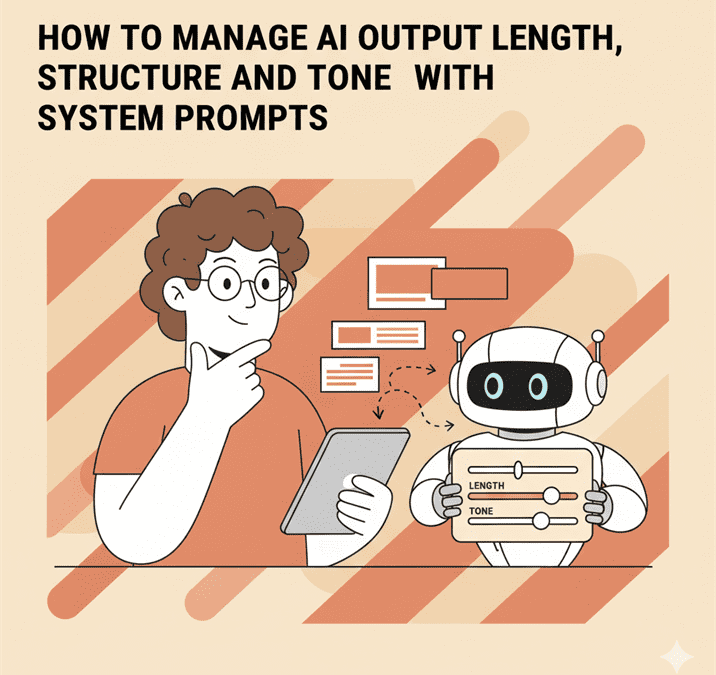
How to manage AI output length, structure and tone with system prompts
There’s a special kind of heartbreak that only AI writers know. You ask for a short blog intro, and your AI delivers something that reads like War and Peace: The SEO Edition.
It’s not the machine’s fault. You said “short,” but it doesn’t feel things like brevity or exasperation. It just wants to help. Aggressively.
That’s where system prompts come in.
They’re the secret backstage pass to getting consistent output, your invisible script for how the AI should behave before you ever type your first command.
Think of them as your AI’s inner voice, quietly whispering, “Maybe let’s not turn this email into a TED Talk.”
Let’s discuss how to use them properly and with just enough personality to keep your writing human.
The difference between user prompts and system prompts (and why people mix them up)
Here’s the simplest way to think about it:
- User prompts: What you tell the AI.
- System prompts: How you want the AI to think.
If the user prompt is the actor’s line, the system prompt is the director’s note in the margin, “Do it again, but this time sound less like a PowerPoint.”
Most people treat AI like a talkative trainee. They keep giving it instructions without realising it’s missing the context of how to behave.
Then they’re shocked when the intern (AI) returns with a dissertation instead of a press release.
The fix is easy. Give it boundaries before you ask for anything.
That’s what system prompts do. They’re the invisible etiquette guide that stops your AI from calling every reader “dear user.”
The unholy trinity of AI chaos: Length, structure and tone
AI output problems usually boil down to three things, it’s too long, too weirdly structured, or sounds like it’s been written by a committee of motivational posters.
Length: You ask for 300 words, it gives you 800. It’s like a friend who tells “a quick story” that somehow spans three decades and two marriages.
Structure: You hand over an outline and it nods politely before ignoring everything you said.
Tone: You request “professional but friendly,” and the result feels like a customer service bot that’s been possessed by a motivational speaker.
These aren’t random errors. They’re symptoms of an AI without clear behavioural parameters.
A well-written system prompt is basically a pre-flight checklist that says, “Yes, Captain, please stay under 600 words and maybe don’t sound like an HR manual.”
How to use system prompts to control the chaos
Alright, let’s get practical, and mildly personal. Here’s how I’ve learned (usually the hard way) to use system prompts for consistency.
Setting boundaries for length
You need to talk to your AI like a well-meaning overachiever. It wants to help, but it doesn’t know when to stop.
Try this in your system prompt:
“Keep responses under 500 words unless explicitly asked otherwise. Prioritise clarity over completeness.”
It’s polite, clear, and slightly firm, like telling a friend, “I love your enthusiasm, but please don’t send me twelve paragraphs about your firstborn again.”
AI doesn’t count words in the same way we do, but providing guidance does deliver something close to what you ask for.
Structuring like a pro
Without structure, AI tends to freestyle. And by freestyle, I mean ignore everything you said and invent new sections you didn’t ask for.
So give it scaffolding:
“Always follow the outline unless it violates clarity or flow. Use clear H2 and H3 headings.”
If you’re writing blogs, you can even add:
“Avoid repeating the same point in different ways. Each section should build logically on the previous one.”
That one line can save you from reading 1,200 words of déjà vu.
Managing tone like a therapist
Tone is where most AIs lose the plot. Tell it to “sound friendly,” and suddenly it’s sprinkling exclamation marks like confetti at a wedding.
So, define the tone precisely in your system prompt:
“Write in the voice of a self-aware author reflecting on their writing process. Use conversational language, simple terms and occasionally chaotic phrases.”
Yes, it’s a little weird to describe your own personality in writing. It feels like creating a dating profile for your brain. But it works.
The goal isn’t to turn your AI into a comedian, it’s to stop it from sounding like a customer support script trying to flirt.
System prompt examples that actually work
Here are a few I use in the wild. You can steal them. (I’ll call it creative influence.)
1. For tone control
“You are a witty, articulate editor who balances expertise with warmth. You never lecture, never waffle and you always sound like you enjoy writing.”
(Used when I needed AI to stop sounding like it was auditioning for a TEDx talk.)
2. For structure discipline
“Always use headings and logical transitions. Avoid redundancy. Every paragraph must serve a clear purpose.”
(Used after an AI decided to reintroduce the same idea every 200 words, like a soap opera character who keeps returning from the dead.)
3. For length sanity
“Keep outputs concise and purposeful. Never exceed 600 words unless asked.”
(Used after a 4,000-word ‘short’ draft incident.)
Use them, remix them, or write your own. The point is, system prompts are not “set and forget.” They’re living reminders of how you want your content, and your creative energy, to behave.
Layering prompts like a pro
Once you get comfortable, try stacking system prompts.
For example:
- One prompt for voice and tone (your personality baseline).
- One for structure (headings, flow, and format).
- One for length or context (short blog vs long-form essay).
It’s like dressing your AI for the occasion, casual voice for blog posts, formal tone for reports and “half genius, half chaos” for creative projects.
Bonus tip: if you work with a team, create shared base prompts. It keeps everyone’s AI assistants on the same page or at least reading from the same vaguely coherent script.
What this taught me about control, creativity and letting go
Here’s the weird side effect of writing good system prompts, you start defining your own writing voice more clearly.
You can’t tell an AI how to sound like you until you’ve figured out what makes you sound like you.
The first few times you try, it’s like describing your favourite flavour of air. But then, something clicks.
You realise that writing system prompts isn’t about controlling the machine. It’s about reverse-engineering your own thought process, how you build rhythm, how you use humour, how you balance confidence and curiosity.
And when you get that right, AI becomes an amplifier, not a ghostwriter.
Less mess, more personality
So yes, managing AI length, structure, and tone sounds technical, but it’s really just about teaching your robot to respect your boundaries.
A good system prompt says:
“I know what I want, I know how I sound, and please, for the love of grammar, stop writing 2,000 words when I ask for 300.”
In a sense, system prompts are less about control and more about coherence. They let you keep the human spark while the AI handles the heavy lifting.
And when it works? You get content that feels human, structured, and, most importantly, not written by an overexcited algorithm with no sense of comedic timing.
So go ahead. Write your system prompt like you mean it. The next time your AI writes you a dissertation instead of a tagline, you’ll know exactly what to fix.